
MultipackStandard
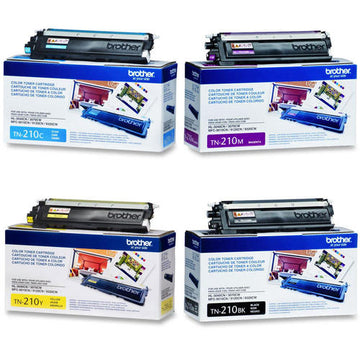
Original Brother
Brother TN210 Original Toner Cartridge Combo, BK/C/Y/M
Toner cartridge multipack
TN210BK: up to 2,200 pages; TN210C: up to 1,400 pages; TN210M: up to 1,400 pages; TN210Y: up to 1,400 pages
$359.00 CAD
Explore the toner currently listed for your MFC-9325CW. Compare cartridge numbers, colours and yields before ordering.

Compare original and compatible toner, colours, yields and pack sizes. Confirm your exact printer model before ordering.
Toner cartridge multipack
TN210BK: up to 2,200 pages; TN210C: up to 1,400 pages; TN210M: up to 1,400 pages; TN210Y: up to 1,400 pages
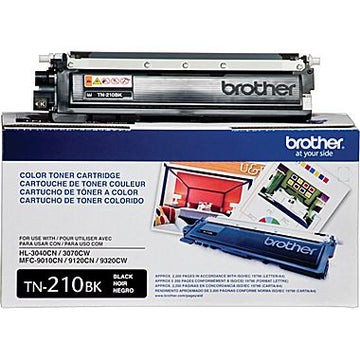
Individual toner cartridge
TN210BK: up to 2,200 pages
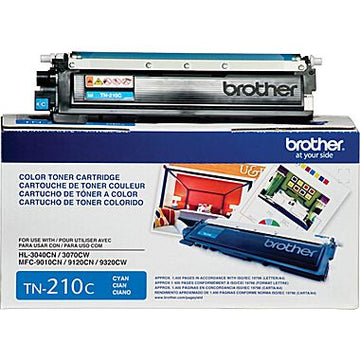
Individual toner cartridge
TN210C: up to 1,400 pages
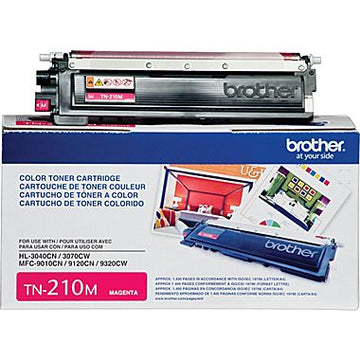
Individual toner cartridge
TN210M: up to 1,400 pages
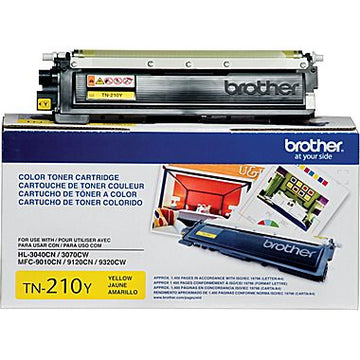
Individual toner cartridge
TN210Y: up to 1,400 pages

Individual toner cartridge
View cartridge specifications

Individual toner cartridge
View cartridge specifications

Individual toner cartridge
View cartridge specifications

Individual toner cartridge
View cartridge specifications
No products match these filters.
 ORIGINAL BROTHER TONER
Find the right original Brother toner.
Compare cartridge numbers and yields
for your exact printer.


Match the full model on your printer’s label, including suffixes such as DW or CDN. Then check the exact cartridge number and compatibility list on the product page.
Original toner is manufactured by Brother. Compatible toner is a third-party replacement for specified supplies. Compare the actual colour, yield and pack contents of each listed product.
Use only the capacity options specified for your exact printer. A higher number or an XL label does not make a cartridge universally compatible. Actual page output varies with coverage and settings.
Some Brother printers have separate toner and drum units. Read the printer’s message and check the required part number before replacing either component.
No. A multipack fits only the printers specified for its included cartridge numbers. Check quantities and colours; some colour packs exclude black.
Check toner levels, cartridge seating and paper settings. Follow the cleaning and troubleshooting instructions for your exact model in Brother’s official support materials.